
![[PHOTO] Youtube on phone - Person watching video on mobile. Style: modern. Color: vibrant.](https://image.aiai.com/20260324/9cefc5750fc217b7ff34b41f59636db1.png?x-oss-process=image/auto-orient,1/resize,m_lfit,w_400/quality,q_80/format,webp)
YouTube to TikTok
Convert horizontal 16:9 YouTube videos into vertical 9:16 TikToks instantly while keeping the main subject perfectly centered.
Get on the For You page faster. Change your video ratio to 9:16 perfectly without cropping or losing any important details. Our AI expands and fits any video seamlessly.
![[PHOTO] hero background - Person holding smartphone with vertical video on screen. Style: Modern, vibrant. Color: cool. Good for text overlay.](https://image.aiai.com/20260324/3ad4cb27577642208331d24df4905c4f.png?x-oss-process=image/auto-orient,1/resize,m_lfit,w_1200/quality,q_80/format,webp)
Transform any landscape or square video into a full-screen vertical masterpiece in just 3 simple steps.
Drag and drop your YouTube, Twitch, or camera video directly into our secure online tool.
Select the 9:16 TikTok preset. Our AI will automatically expand your video without cropping out important subjects.
Preview the result and download your perfectly formatted, high-quality video ready for the FYP.
Convert horizontal 16:9 YouTube videos into vertical 9:16 TikToks instantly while keeping the main subject perfectly centered.
![[PHOTO] Gaming setup - Professional gaming monitor and keyboard. Style: dark, neon. Color: cool.](https://image.aiai.com/20260324/b06e71088d2ba87f7d736ca806647372.png?x-oss-process=image/auto-orient,1/resize,m_lfit,w_400/quality,q_80/format,webp)
Resize your Twitch or PC gaming streams. Keep your gameplay and facecam visible with smart AI layout adjustments.
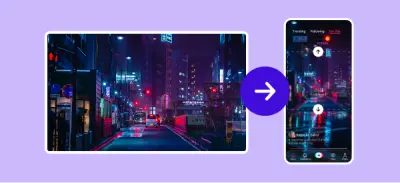
Never crop again. Our AI analyzes your video and generates realistic backgrounds to fill the empty top and bottom spaces of a 9:16 frame.
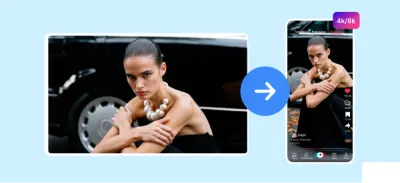
Maintain your original 4K or 1080p quality. We ensure your TikToks stay crisp and clear, maximizing your chances of going viral.
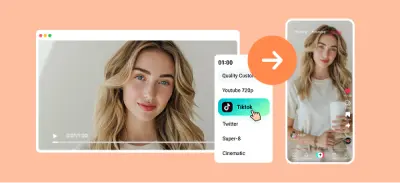
No heavy software needed. Resize videos directly in your browser with bank-level encryption. Files are deleted automatically.
I was skeptical about AI resizing, but the quality retention is phenomenal. My YouTube Shorts look professionally edited.
Finally, a tool that automatically tracks the subject when changing aspect ratios. Perfect for my Instagram Reels.
Select the perfect plan for your needs.
Free to use • No watermark • Secure processing